 Castellan



Free and open source
Heiward
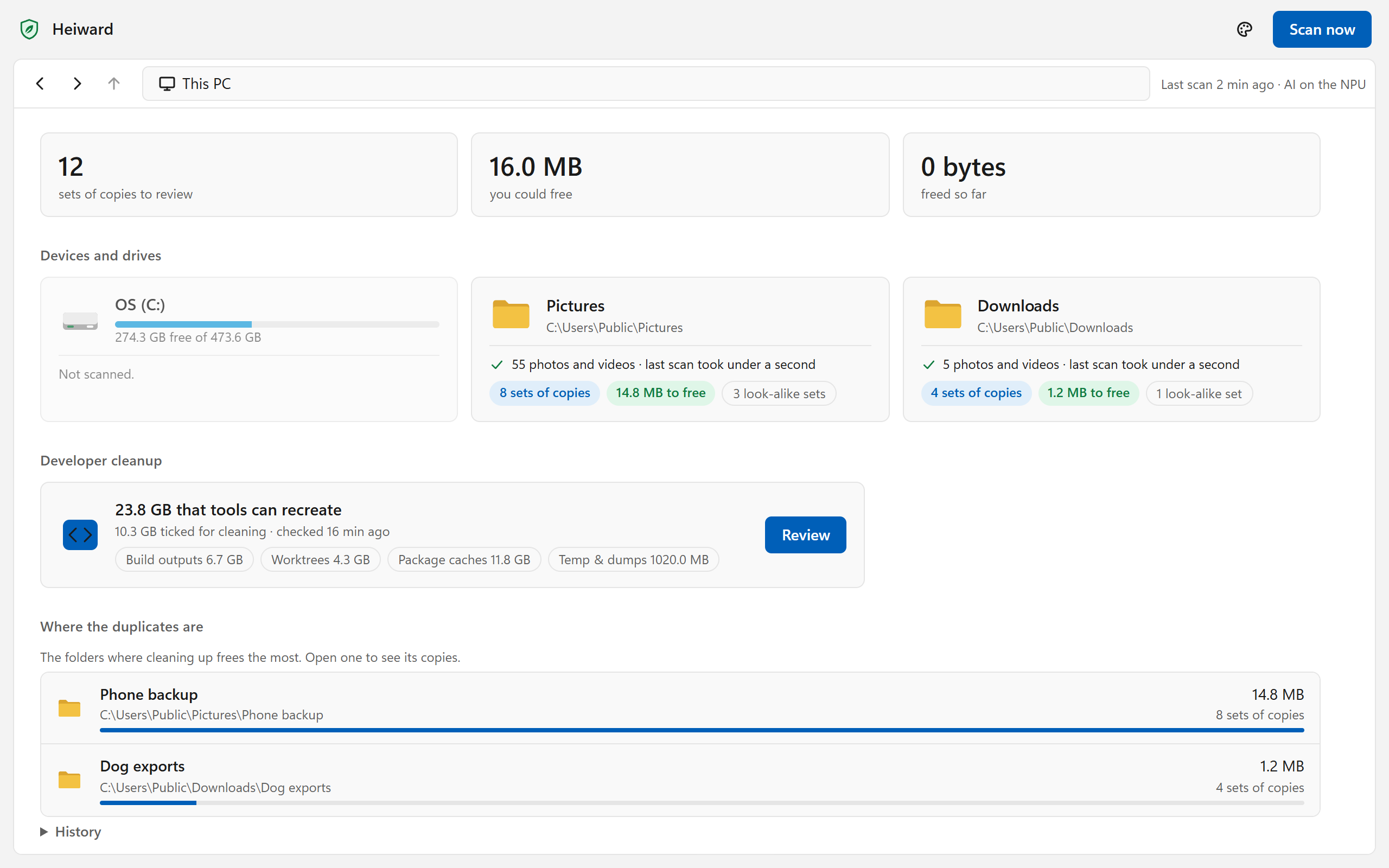
Finds the duplicate photos and videos on your PC, and gives you the space back.
AI on your PC spots resized, recompressed, cropped and edited copies, not just identical files. Nothing is removed until you say so, and what you tick goes to the Recycle Bin. No account, no ads, and nothing about you or your files leaves your PC.
Windows 10 (2004) or later, on an Arm64 or x64 PC. What's new in 1.9.11.
Early access. Heiward's setup isn't code-signed yet, so the first time it runs Windows says “Windows protected your PC”: choose More info, then Run anyway. Heiward is coming to the Microsoft Store, signed by Microsoft and kept up to date by Windows; a PC with Smart App Control on needs that version.
What it looks after
Three kinds of clutter, one review page
Photos and videos are always on. Turn on game mode or developer mode in Heiward's settings when they're yours to tidy.
Photos and videos
Always on
Duplicate photos and videos on every fixed drive, including resized, recompressed, cropped and edited copies. Only plain copies are ticked for you: edits and look-alikes wait for you to look.
How it worksGame mode
Turn it on in Settings
Your games from Steam, Epic, GOG, the EA app, Ubisoft, Battle.net and Xbox, and what they leave behind: uninstalled games' leftovers, download and shader caches, crash dumps. Installed games and saves are never touched.
How it worksDeveloper mode
Turn it on in Settings
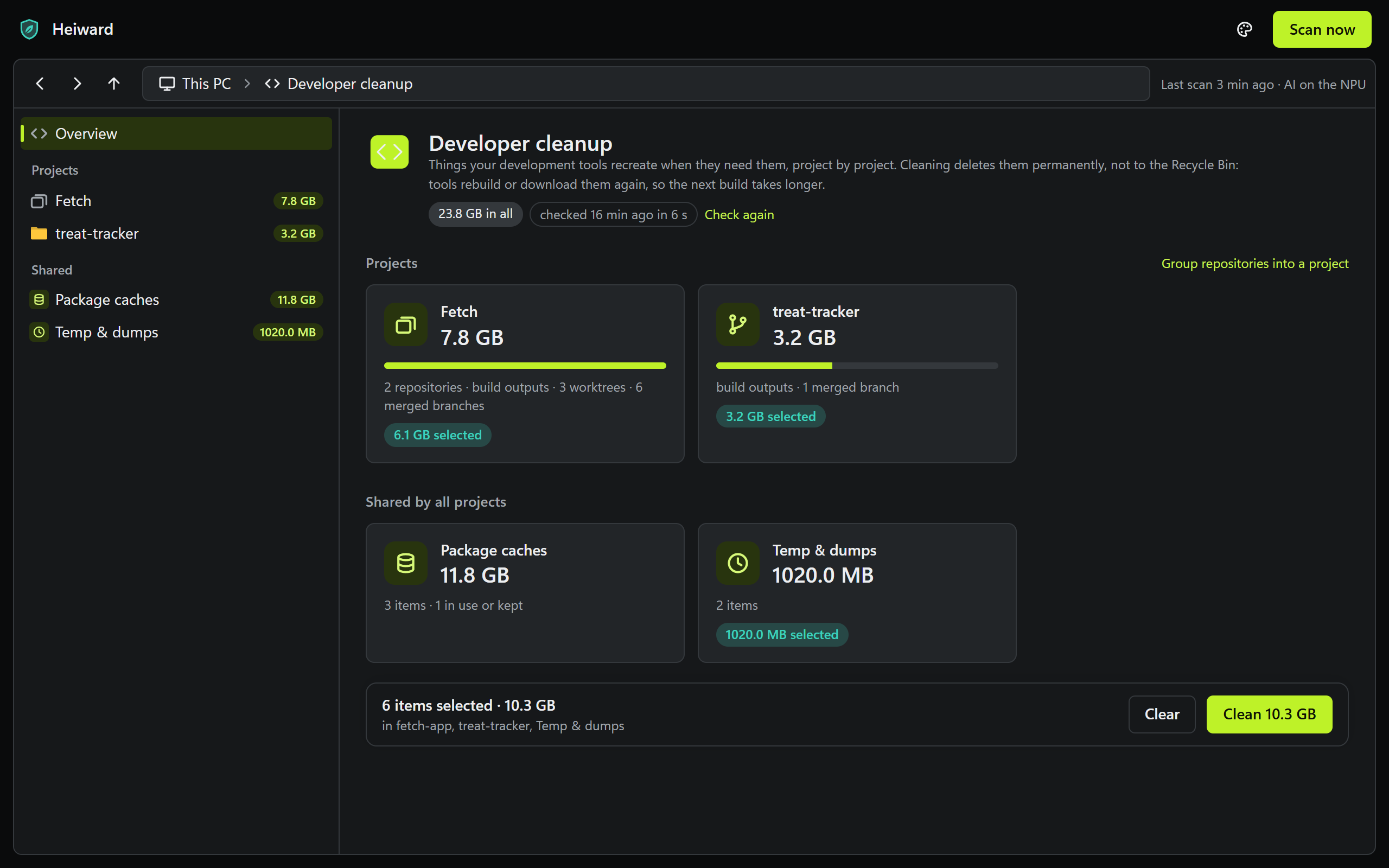
Each repository's build outputs, finished worktrees and merged branches, beside its open pull requests, plus package caches, emulator images and old temp files. Everything it lists, your tools make again.
How it works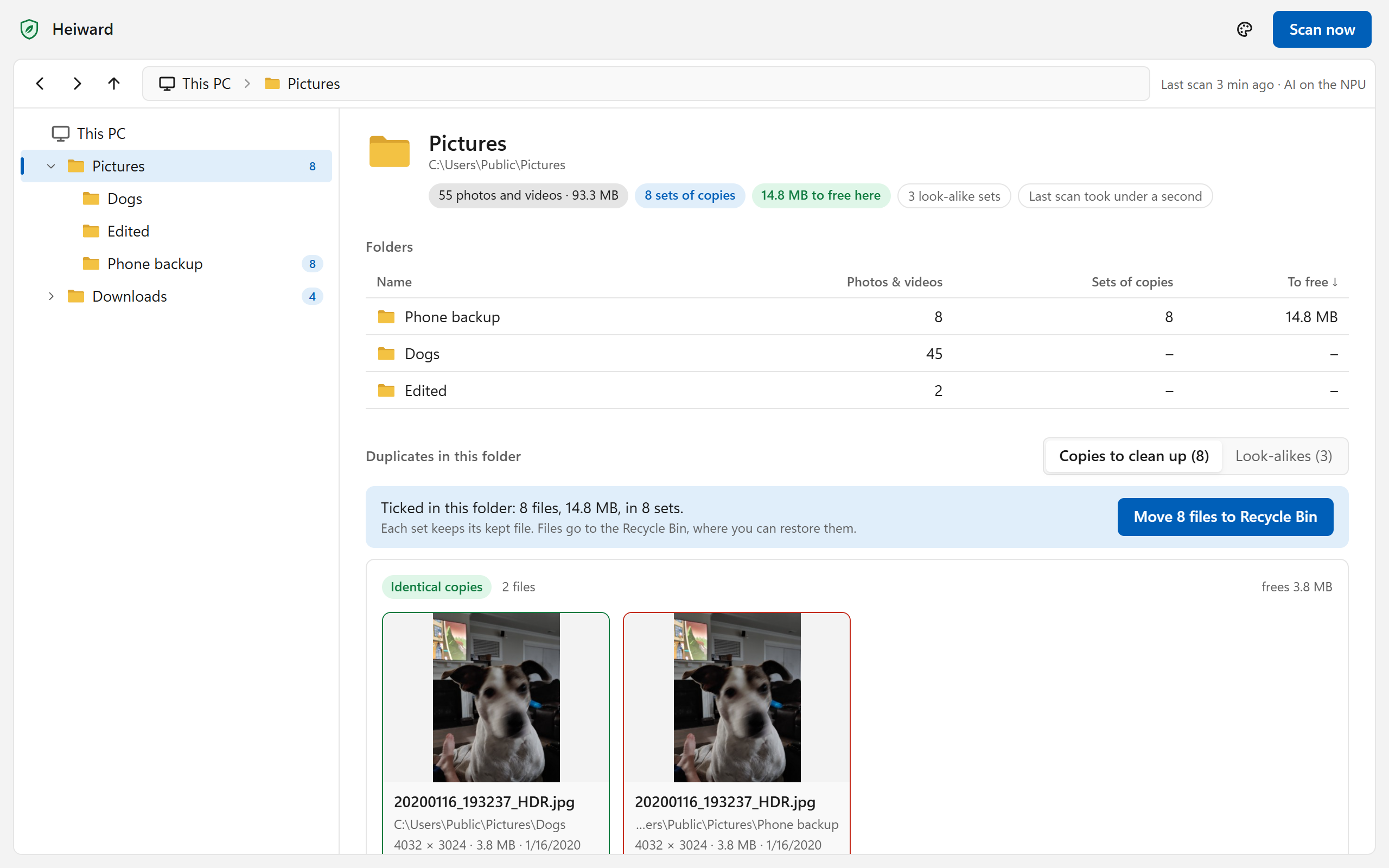
Laid out like File Explorer
You decide what goes
Nothing goes until you say so
Each set keeps its best file: the highest resolution, the camera's original, the longest video. The copies go to the Recycle Bin, where you can restore them.
Only plain copies are ticked
Identical files and pixel-for-pixel copies are ticked for you. Edits, crops and look-alikes wait for you, and burst shots aren't offered at all.
Careful with the cloud
Files only in OneDrive or iCloud are never downloaded to be read, and you're asked before a synced copy goes, because it goes from your other devices too.
Light on your PC
The AI runs on your PC, on the chip that suits it
Heiward compares pictures and video frames with a vision model on your PC. Scans read only new and changed files, in Windows' efficiency mode, and make way while a game runs.
On the NPU
Recommended
The AI chip in Snapdragon X, Intel Core Ultra and AMD Ryzen AI PCs. Fast and frugal, so it scans every hour. About NPUs
On the graphics card
Any DirectX 12 graphics card. Every 6 hours on mains power, or only when you press Scan now.
On the processor
Works on any PC. Every 6 hours on mains power, or only when you ask.
Private, free and open
No account, no ads, no telemetry. Heiward is free software under the AGPL v3, and its source is on GitHub. Only developer mode, if you turn it on, asks the services that host your code for their open pull requests.
At home in Castellan
Heiward works on its own. With Castellan installed it joins the household: it takes turns with the other agents for the NPU, and Castellan keeps it up to date with the rest. Meet the agents
Get Heiward 1.9.11
Free, with no account. Run the setup, pick where the AI runs, and the first scan starts.
What's new
Every release1.9.11
The Store version of Heiward is built for every release, and sent to the Store once that is set up.
What changed
- Each release of Heiward now also builds its Microsoft Store package. Once the owner has connected Partner Center, each one is submitted to the Store by itself, and Store installs update through Windows as before.
Before you update
- Nothing: it updates itself as usual.